Use custom PDF fonts
Upload, inspect, approve, and choose a supported font face.
Read as Markdown · Open in the interactive guide
Use your organization's approved font in generated PDFs.
Before you start: You need Portwood Admin access or Manage Portwood Fonts. You also need a static .ttf font and permission to host and embed it.
Upload and approve
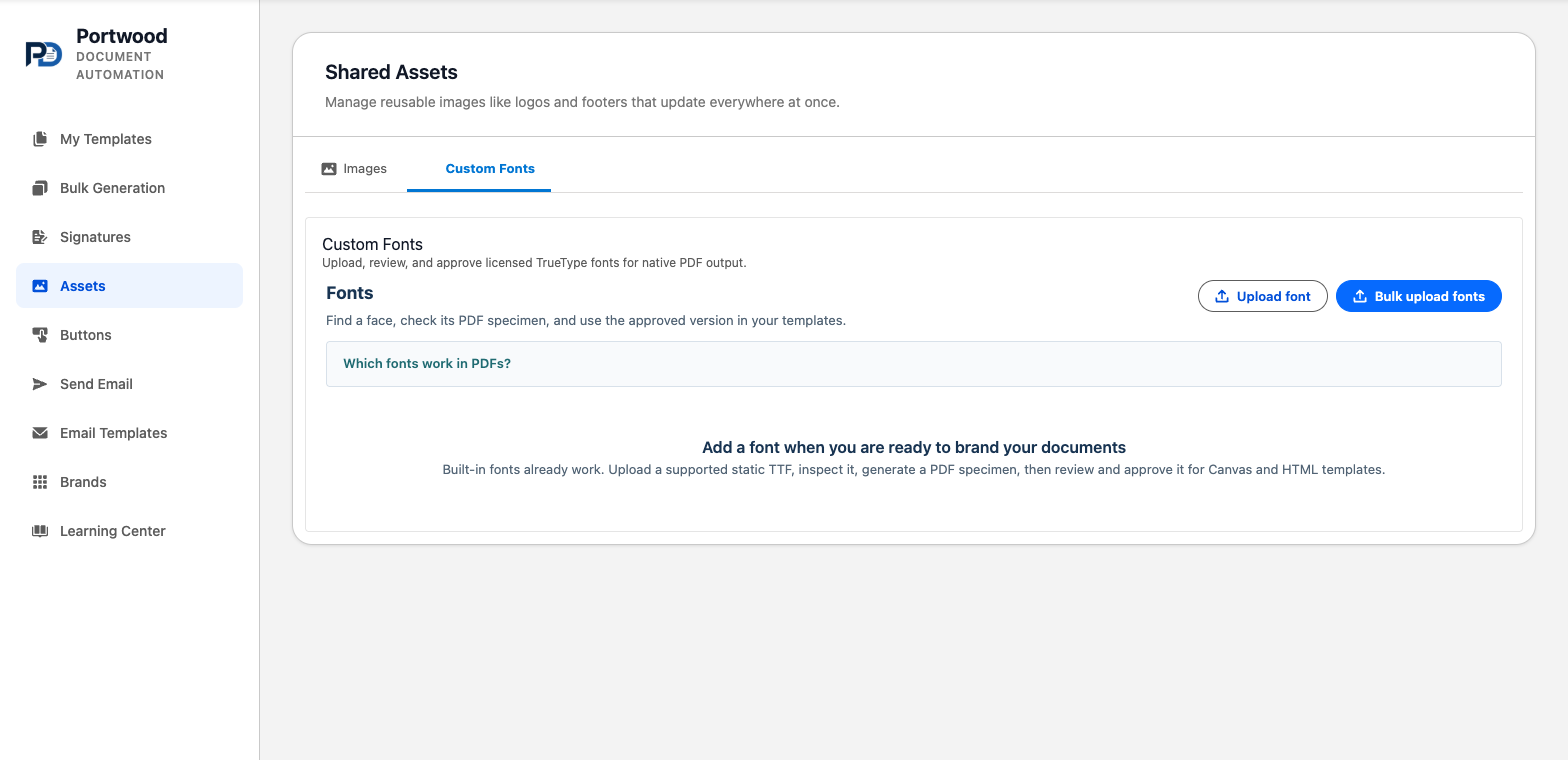
- Open Portwood → Assets → Custom Fonts.
- Choose Upload font for one face, or Bulk upload fonts for several.
- Upload the static TrueType file and confirm its usage rights.
- Set a clear font key using lowercase letters, numbers, and hyphens.
- Set a unique font tag API name for this face, such as
poppins-bold. Reuse this API name when moving the same face to another environment. - Open the face and generate its native PDF specimen.
- Check the letters, numbers, accents, symbols, weight, and spacing your documents need.
- Confirm you reviewed the specimen, then Approve the face.
Only approved faces become available for new selections. Upload regular, bold, and italic faces separately when your documents need them.
Use the font
- Canvas: Select the text box and choose the face in PDF font.
- HTML designer: Select the face in the font picker.
- HTML source: Copy the face's verified font tag from its detail panel and use it in a quoted inline
styleattribute. API-name tags such as{%font:poppins-bold}remain portable across environments. - Imported Word/HTML: Portwood can match an approved face to the declared family, weight, and style. Check the generated PDF to confirm the match.
Replace or stop using a face
Retire a face to remove it from new selections while preserving existing template revisions. Retired faces can be deleted when they are no longer needed. Do not delete one until you have checked the templates that depend on it.
If the upload is rejected or the PDF uses another font
Use a static TrueType face. Variable fonts, color fonts, font collections, unsupported Unicode coverage, or malformed files may be rejected. The supported font character map is limited to the Unicode Basic Multilingual Plane.
A font also needs the glyphs your text uses. Preview a document containing those actual characters. If an approved face cannot be loaded, Portwood can continue using a fallback instead of stopping the whole document.
Bulk upload accepts up to 25 individual files or a ZIP of up to 200 TTF files / 25 MB. A document can use up to 16 distinct approved faces.
This feature controls native PDF output and previews. It does not install fonts on a recipient's computer or embed this font registry into native Excel or PowerPoint files.