Print a scannable field-service work order
Give each machine an offline QR label, job-specific checks and space to record the visit.
Read as Markdown · Open in the interactive guide
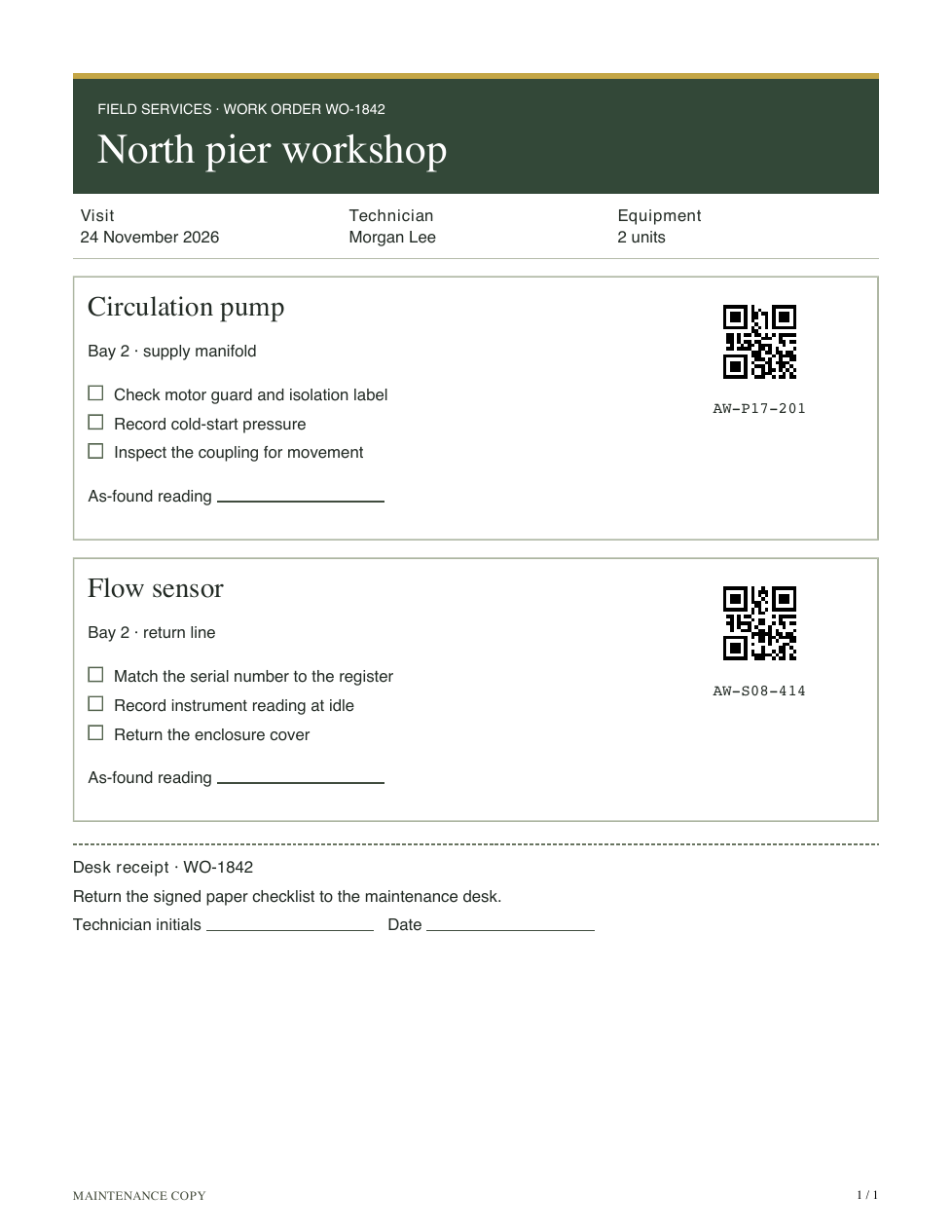
A technician needs to find the right machine, see the checks for that unit and bring a short receipt back to the office. This printable work order gives each asset a QR code, a readable identifier, a checklist and room for the as-found reading.
Open the service sheet · Read the text edition · Download the design files
Put the identifier in two places
Inside the Equipment loop, the sample prints {*Code:qr:105} and the plain value {Code} below it. The first code decodes to AW-P17-201 for the circulation pump. The second is AW-S08-414 for the flow sensor. Someone with a damaged label can type the printed value. These codes carry text and work offline. To open an asset page, supply an authorized HTTPS destination as the code value and test it as the intended user. QR codes, images and barcodes
Keep each machine with its checks
The outer {#Equipment} block repeats the whole card. Inside the card a smaller {#Checks} loop repeats one task at a time. A short card uses page-break-inside: avoid so its code, title and checks travel together. If one machine has enough checks to fill a page, allow the checklist to continue and repeat a small identification band on the following sheet.
The printed squares and ruled lines are for handwriting. For a form that someone fills electronically, use the fillable PDF workflow. The lower desk receipt has its own work-order number, so the office can match it to the job after it is detached.
Check one physical copy
Print at actual size on the paper the crew will carry. Scan each code and compare the result with the printed identifier. Leave white space around it, and confirm there is room to write the reading and initials. For a new customer, update the work-order JSON and generate the same HTML again. Run the sample