Design an advanced document with print CSS
Build a branded, multi-page service review with repeating columns, a separate acceptance page and rich footers.
Read as Markdown · Open in the interactive guide
Build a service schedule that can grow from two rows to several pages and still leave a clean acceptance page. This lab uses Account as the parent and Opportunities as the child relationship. All estimates in the example use a single currency.
Add a working contents page and a conditional draft watermark.
Assemble the example
- In Assets → Terms & Snippets, create an active snippet with the key
guide-service-handoff. Paste the handoff fragment in HTML source and save it. - Create an Account HTML template. Select Account Name and the child Opportunities relationship with Name and Amount. Give the child rows a stable sort order.
- Upload the service review HTML. Paste the two-line footer into Footer HTML. Save a new version.
- Generate once for a short schedule and again with enough rows to cross a page. Compare the last row on each page with the first row on the next. Use the rendered sample as a visual reference.
Establish the printable area
Letter is 8.5 inches wide. Side margins of 0.65 inches leave 7.2 inches for the table. Reserve space vertically for the footer. Choose one place to control paper and margins. With this example the HTML owns the page setup.
@page { size: Letter portrait; margin: 0.7in 0.65in 0.85in; }
.ledger { width: 100%; table-layout: fixed; border-collapse: collapse; }
.ledger td { padding: 6pt 7pt; vertical-align: top; }
A two-cell masthead gives the account team a solid band on every first page. Set the band color on the cells. Use points for text, percentages for column widths, and right alignment for money. Keep the estimate column wide enough for your largest formatted value.
Keep a long schedule readable
.ledger { -fs-table-paginate: paginate; }
.ledger thead { display: table-header-group; }
.ledger tr { page-break-inside: avoid; }
h2 { page-break-after: avoid; }
.appendix { page-break-before: always; }
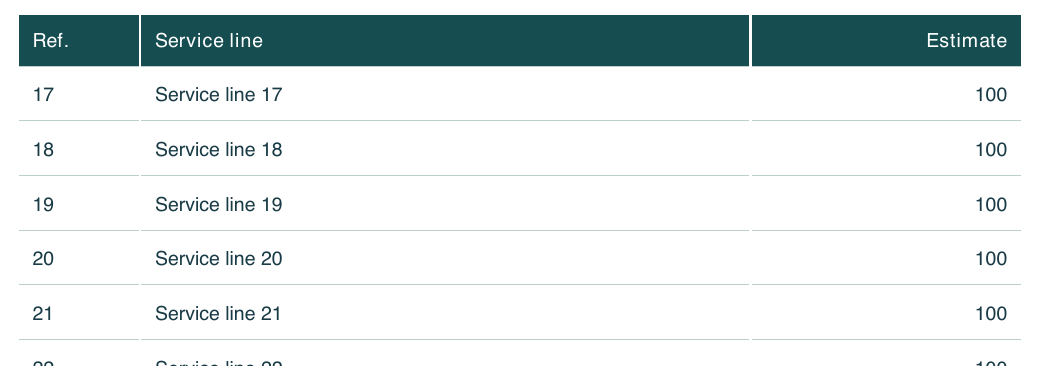
Put real headings in a thead. Inside the data row, open {#Opportunities} in the first cell and close it in the last. Put {RowNumber} inside that row and the aggregate outside it. Use page-break-inside: avoid on individual rows or a short totals panel. Applying it to the entire table asks the renderer to keep many pages of content together. A single row taller than a page needs a different layout.
The appendix starts on a fresh page. Compare a zero-row account with a long schedule. If you want to omit an empty schedule, gate the heading and table together with {#IF Opportunities.totalSize != 0} and {/IF}.
Choose how the footer is drawn
The main stylesheet supplies content: counter(page) and counter(pages) on the two footer spans. The footer field supplies the HTML. This keeps a second line of text and its styling together with the counter. For a single line, enter Page {PageNumber} of {TotalPages} in Footer HTML. Check the last page after changing a margin or font. Running headers and footers
Extend the design
| Design request | Technique to try | Inspect in the PDF |
|---|---|---|
| Full-page stationery | Upload page-sized artwork in Watermark / Background. Choose Original for opaque artwork. Use a 816 × 1056 px image for Letter at 96 DPI. | Artwork reaches the edges while the body stays inside its margins. Page layout |
| Branded headings | Apply the approved face's copied font tag inside a quoted inline style. Test each weight and script with real text. | Compare the glyphs and line breaks. Custom fonts |
| Side-by-side summary cards | Build one table row with separately colored cells. Use solid hex fills, cell padding and a narrow gutter cell. | Both cards fit at their longest values. |
| Rounded badges, a gradient or a seal | Put that artwork in a sized image asset. Keep changing text in adjacent HTML. | Edges stay crisp at actual print size. Images and assets |
| A very long unbroken reference | Insert break opportunities in the source value or give the identifier its own line. | Long strings fit without overwriting the next cell. |
| Charts inside a report | Use a prepared chart image on paths that supply one. For portable HTML-to-PDF use a CSS bar or pivot table. | Generate from the intended button, Flow or bulk path. Chart modifiers |
The CSS capability probes, measured comparisons and layout rewrites cover selectors, transparency, box shadows, image sizing and Word table widths. Use grouped reports to add one table per service category.
Build the executive version
For a portfolio review, select StageName as well as Name and Amount on the child Opportunities. Upload the portfolio brief. Its cover combines a two-cell metric band, a chart grouped by stage and a conditional review note. The next page uses {#GroupBy Opportunities by StageName} to make one table per stage. The nested Opportunities loop numbers the lines within that group and the sum inside the group prints its subtotal.
In the sandbox-rendered portfolio PDF, six engagements total 41,900.00. The three subtotals are 11,000.00, 19,900.00 and 11,000.00. Compare them with the cover total before reusing the layout with your own data.